Expense tracking app
An expense tracking app that reads your receipts for you
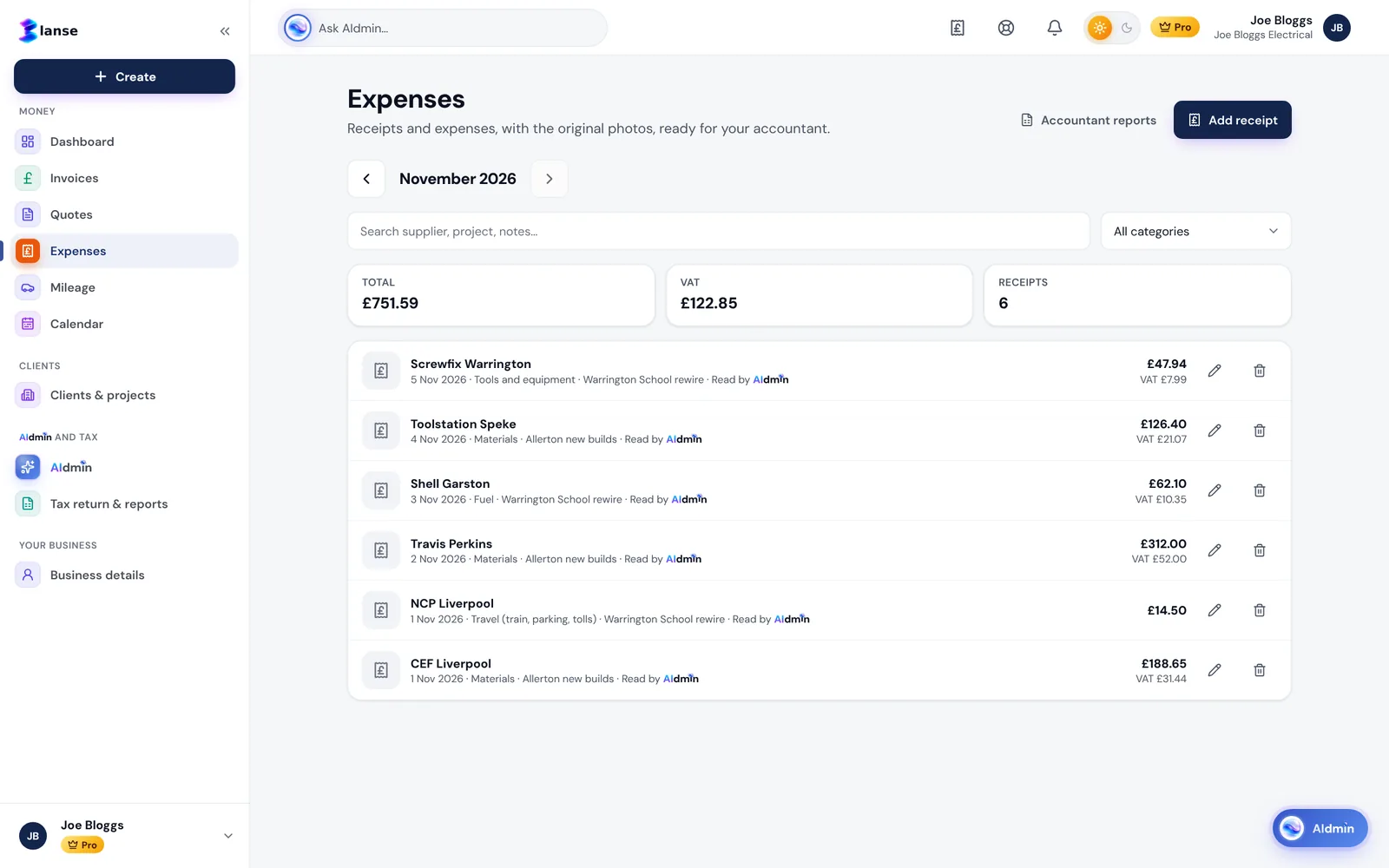
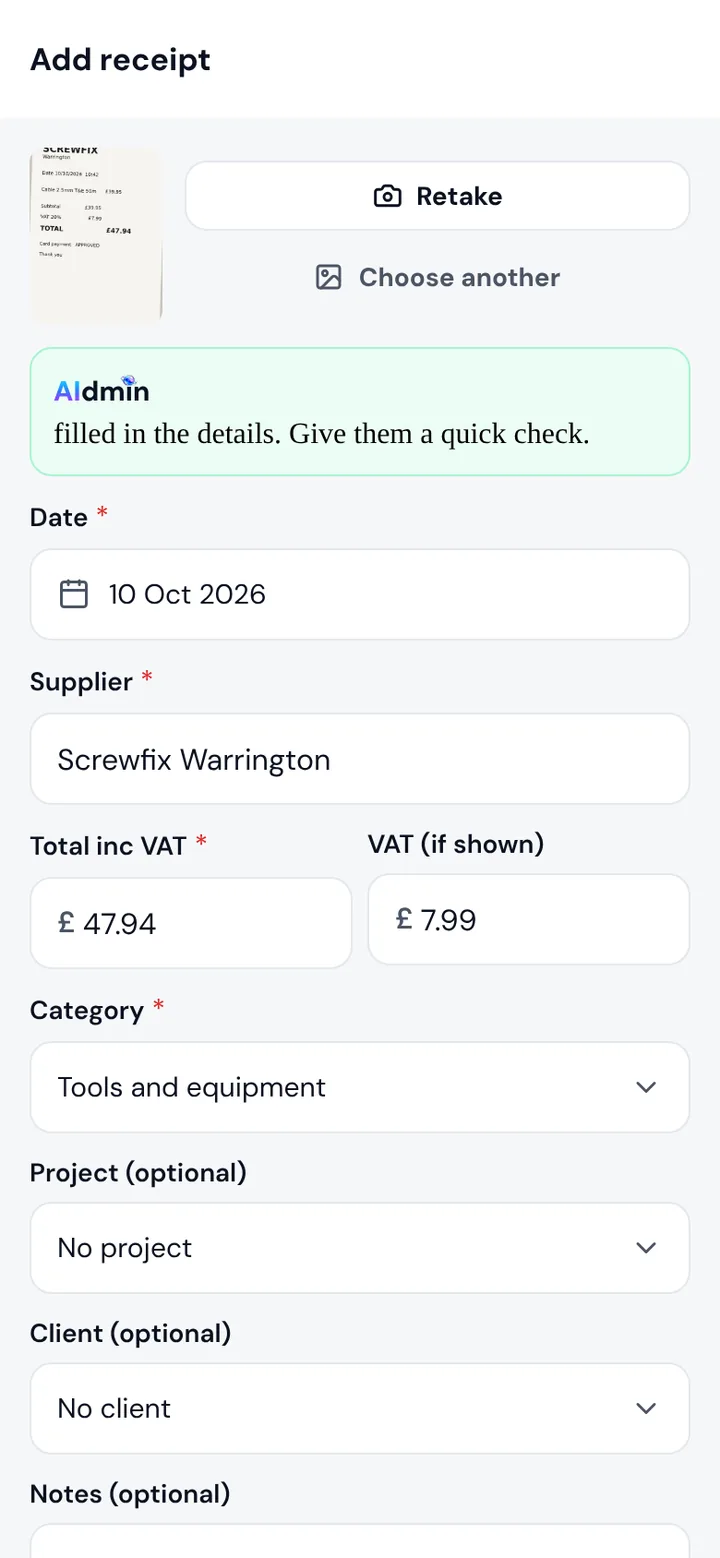
The best app for expense tracking is the one you actually use, which means it has to be quicker than stuffing the receipt in the glovebox. With 3lanse on your iPhone, you take a photo and the supplier, date, total and VAT are read for you.
Expenses are sorted by category, journeys are logged at HMRC approved mileage rates, and everything shows on your money calendar and in your tax return pack.
A checklist
What to look for in an expense tracking app
Fast capture
Proper categories
Mileage built in
Useful at year end

AIdmin
Your AI assistant for the money side
AIdmin works inside your 3lanse account and can do all of it for you. Type or say what you need and it sets up clients and projects, creates invoices, quotes and credit notes, reads receipts, adds expenses and mileage, and tells you what's due. You confirm before anything changes or is sent.
- Sets up clients and projects
- Creates invoices, quotes and credit notes
- Reads receipts into expenses
- Adds expenses and mileage
- Tells you what's due
- Works by typing or by voice
How 3lanse does it
Snap, check, done
Snap a receipt
Expenses by category
Mileage
Money calendar
Where expenses go next
From receipt to invoice and tax return
Some costs are yours to claim; others you pass on to the client. Mark an expense or journey to recharge and 3lanse adds it to that client's next invoice, so nothing you paid for on their behalf is forgotten.
At the end of the year, your expenses feed the tax return pack for your accountant. 3lanse doesn't connect to your bank or file anything with HMRC; it keeps the records tidy so the year end is quicker.
Questions
How much does it cost?
3lanse is £9.99 a month, all in including VAT, with everything included: invoices, quotes, credit notes, expenses, clients and AIdmin. It renews monthly until you cancel.
Which is the best app for expense tracking?
The right one is quick to use, sorts expenses into categories, handles mileage and gives your accountant usable figures. Try one with a week of real receipts and see if it sticks.
Does 3lanse read receipts automatically?
Yes. Take a photo and AIdmin reads the supplier, date, total and VAT. You check the details before the expense is saved.
Is the app on Android?
3lanse is on the App Store for iPhone. On other phones, use the website in your browser with the same account.
Can I track mileage in the same app?
Yes. Log business journeys at HMRC approved mileage rates, or your own rate, and recharge them to clients if you need to.
Start snapping your receipts
£9.99 a month, everything included. Cancel any time.
Keep reading
- Receipt scanner appFrom photo to expense in seconds.
- Receipt storageKeep receipts for as long as HMRC asks.
- Sole trader expensesWhat you can usually claim, under HMRC's headings.
- Expenses and mileageReceipts and business miles.
- Invoicing appSend invoices from your phone too.
- Get the appDownload 3lanse for iPhone.
- Small business accountingRecords and a year-end pack for your accountant.