AI invoicing
AI invoicing: ask for the invoice, check it, send it
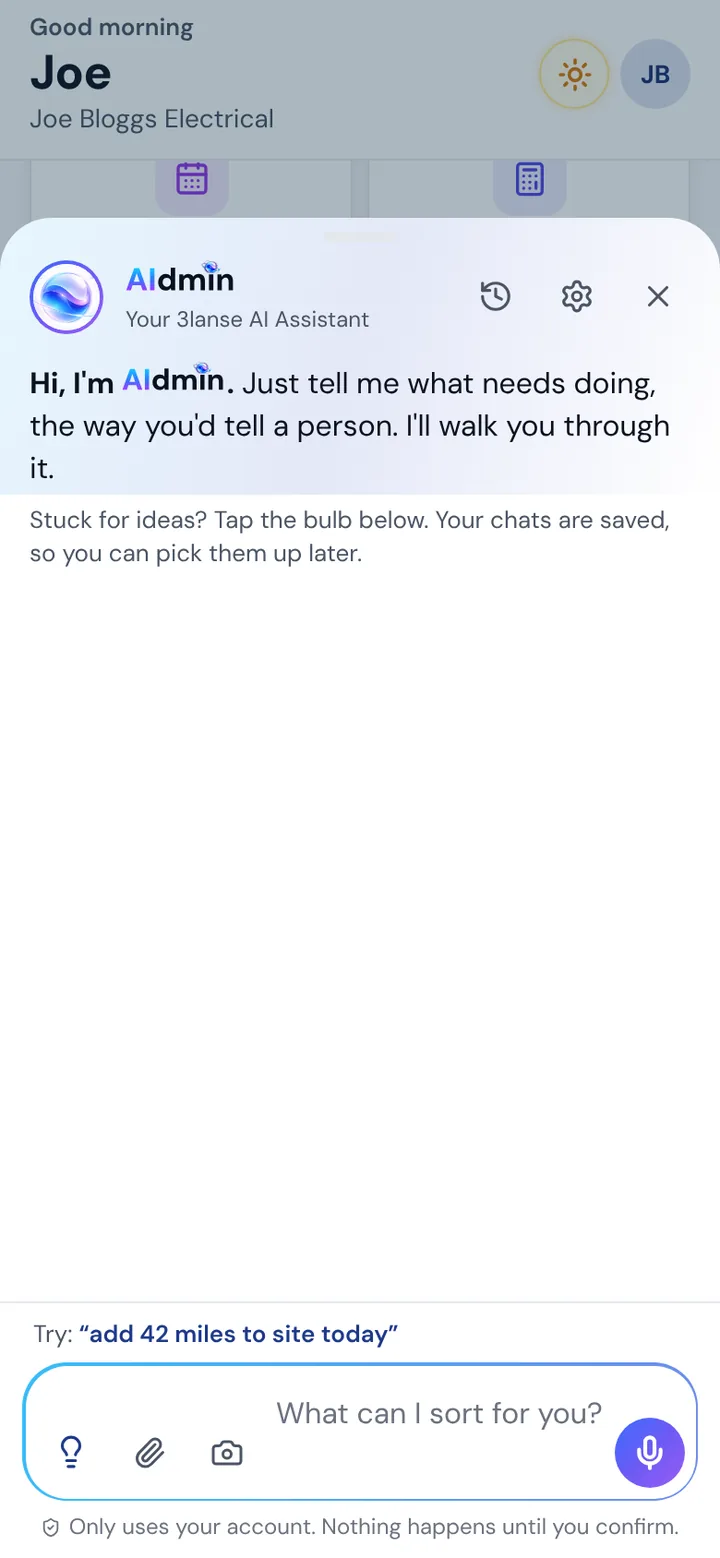
Instead of filling in an invoice form line by line, tell AIdmin what you want: "invoice Joe Bloggs Builders for last week". AIdmin, the AI assistant built into 3lanse, drafts the invoice from the client, project, days worked and mileage already in your account.
You see the draft before anything happens. Change what you like, confirm it, and it is saved and sent. Nothing goes to a client without your say-so.

What AIdmin can draft
AI invoicing, from a sentence
Invoices
Quotes
Credit notes
Clients and projects

AIdmin
Your AI assistant for the money side
AIdmin works inside your 3lanse account and can do all of it for you. Type or say what you need and it sets up clients and projects, creates invoices, quotes and credit notes, reads receipts, adds expenses and mileage, and tells you what's due. You confirm before anything changes or is sent.
- Sets up clients and projects
- Creates invoices, quotes and credit notes
- Reads receipts into expenses
- Adds expenses and mileage
- Tells you what's due
- Works by typing or by voice
You stay in charge
Shown to you before anything is saved or sent
AI is quick at the typing, but you know your business. Every invoice, quote or credit note AIdmin prepares is shown to you as a draft. It is only saved, and only emailed to your client, when you confirm.
AIdmin works only with your own 3lanse account and the records in it. It doesn't guess figures from the internet; it uses the rates, days and journeys you have recorded.
Beyond the invoice
Ask about your money, too
Who owes you
What's coming up
Type or talk
How it works
Your first AI invoice
- 1
Add your business details
Logo, bank details, VAT status and payment terms, once. - 2
Log your days and miles
Or tell AIdmin what you did and it logs them for you to confirm. - 3
Ask AIdmin for the invoice
Check the draft, change anything you need, then confirm to save and send.
Questions
How much does it cost?
3lanse is £9.99 a month, all in including VAT, with everything included: invoices, quotes, credit notes, expenses, clients and AIdmin. It renews monthly until you cancel.
Will the AI send invoices without asking me?
No. AIdmin always shows you what it has prepared, and nothing is saved or sent until you confirm.
Where does AIdmin get the figures from?
From your own 3lanse records: your clients, projects, day rates, the days you logged and your mileage.
Can I still create invoices myself?
Yes. AIdmin is there when you want it. You can create and edit every invoice by hand as well.
Can I use AI invoicing on my phone?
Yes. AIdmin is in the 3lanse iPhone app and on the website, and you can talk to it as well as type.
Let AIdmin draft your next invoice
£9.99 a month, everything included. Cancel any time.